Kim's Dragon
Mobile Ordering
A mobile take-out app for a beloved campus food truck — designing for familiarity, personality, and a line that moves faster.
A food truck worth
waiting in line for...
until you don't have to.
Behind Drexel University's Main Building, a long line of food trucks serve West Philadelphia. Kim's Dragon stands out with its diverse and delicious Asian cuisine, attracting a mix of college students and locals. Our team, captivated by the truck's food and friendly staff, set out to design a mobile take-out app.
Our goal went beyond making the ordering process efficient. We wanted to capture the vibrant personality of Kim's Dragon within the app, seamlessly extending the culinary experience customers already loved.
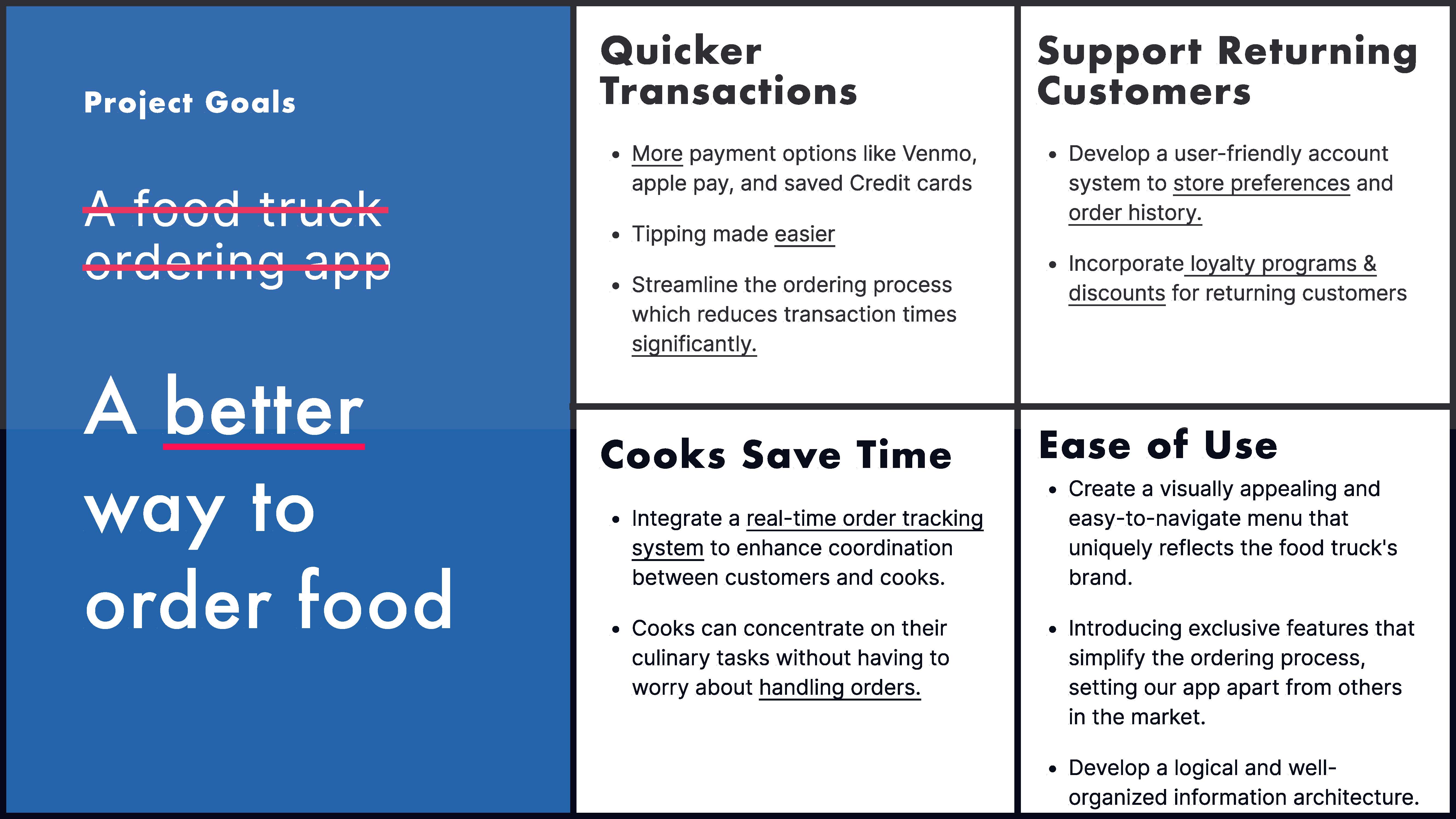
Late to digital.
Long on lines.
Kim's Dragon had no digital ordering solution. The lines were long and sometimes insufferable. Our main challenge was to offer a solution that helped customers skip the wait while helping Kim's Dragon adapt to an unavoidable digital age.
We had 11 weeks to deliver a final prototype. The constraint shaped every decision.
Observational testing
and field interviews.
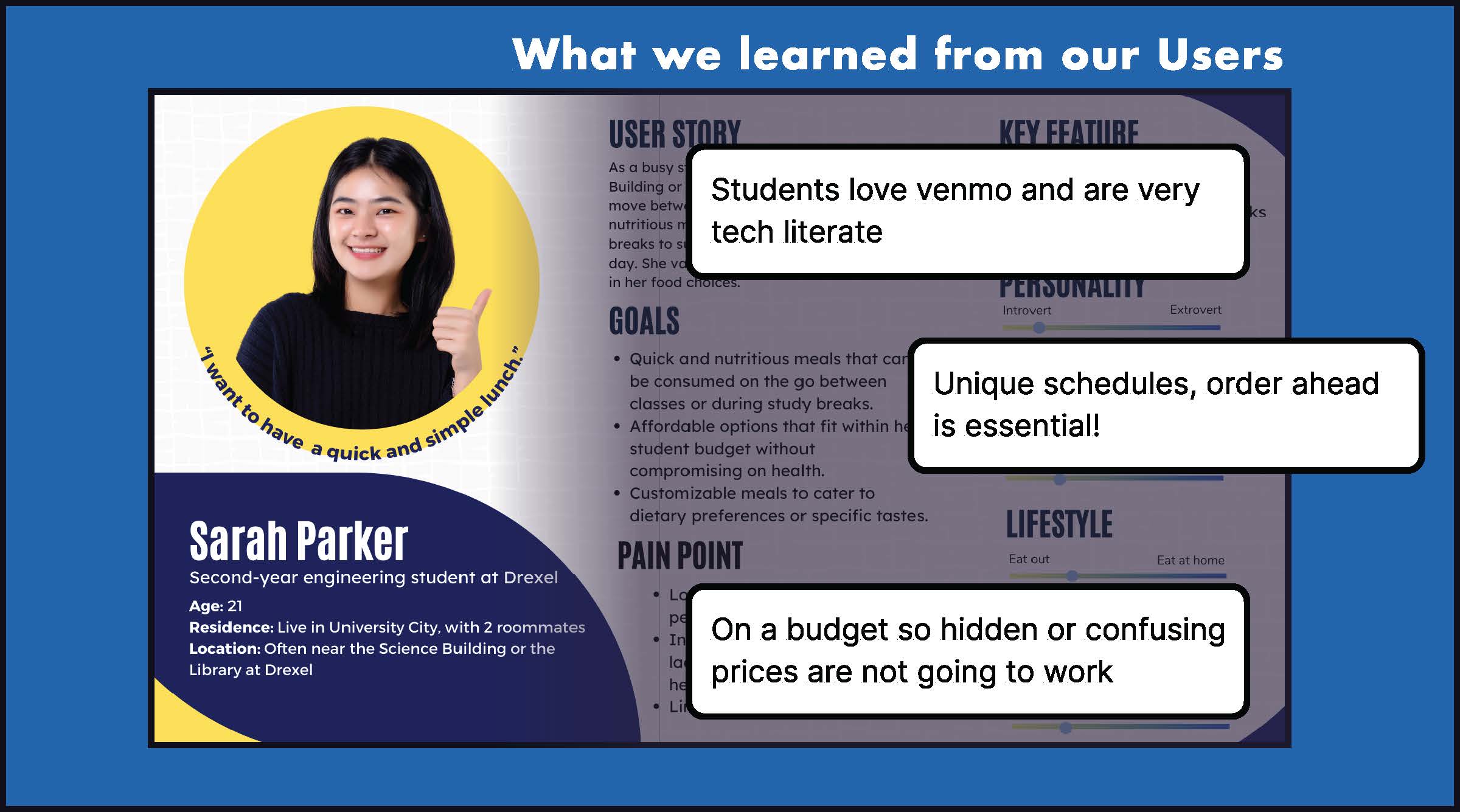
Our first point of action was conduction observational testing and field interviews at Kim's Dragon. We aimed to understand who visits the truck and what their ordering experience looks like in the real world.
From several days of fieldwork we developed three distinct user personas representing the range of people who order from Kim's Dragon: the time-pressed student, the regular lunch-hour worker, and the casual walk-up customer.
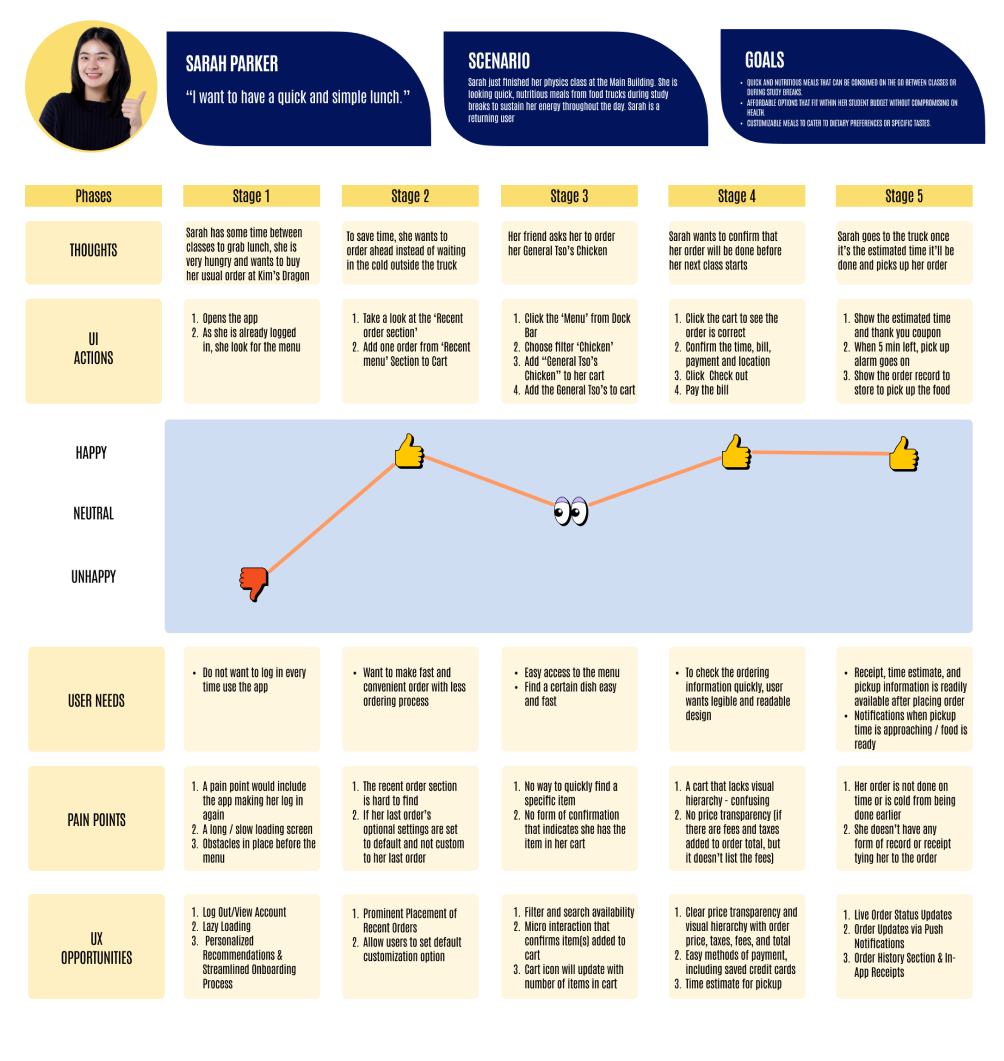
We also mapped a user journey for Sarah Parker: a composite of our most time-constrained persona. Tracking her emotions and actions through the full ordering experience illuminated exactly where frustration peaked and where a mobile solution could intervene.
Design for familiarity
first.
Taking inspiration from existing food ordering apps, we sketched initial screen concepts before moving into low-fi prototypes. Our guiding tension: create something outstanding, but also something anyone could pick up and use immediately.
We built out prototypes for each step of ordering the Sesame Chicken, a task specific enough to create a real testing environment.
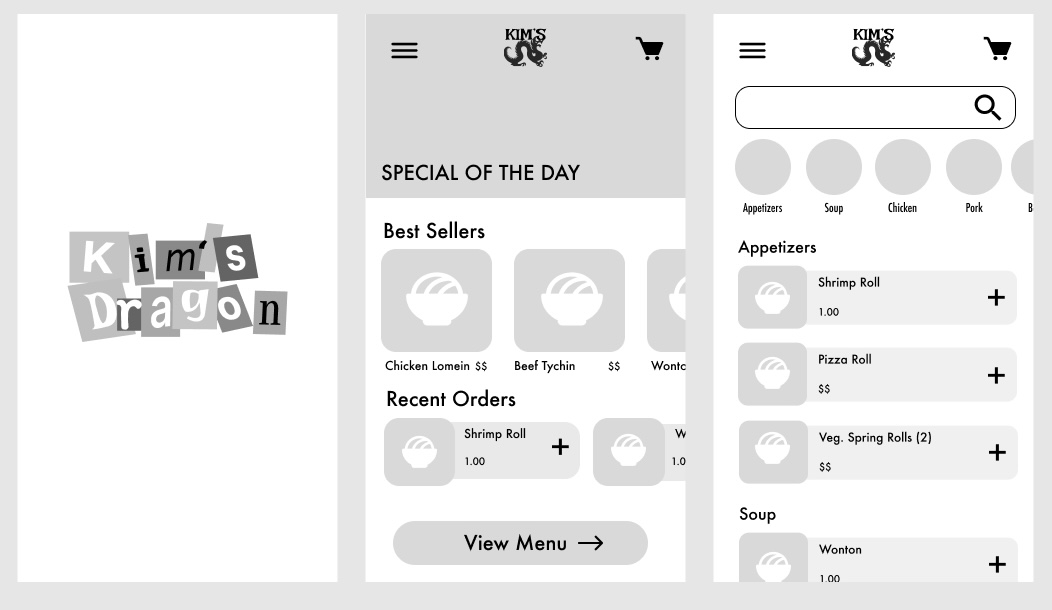 Low Fidelity Prototype
Color, imagery,
and new friction.
With low-fi feedback in hand, we upgraded to mid-fidelity: adding color, images, and iconography. This was when the harder design problems started to surface.
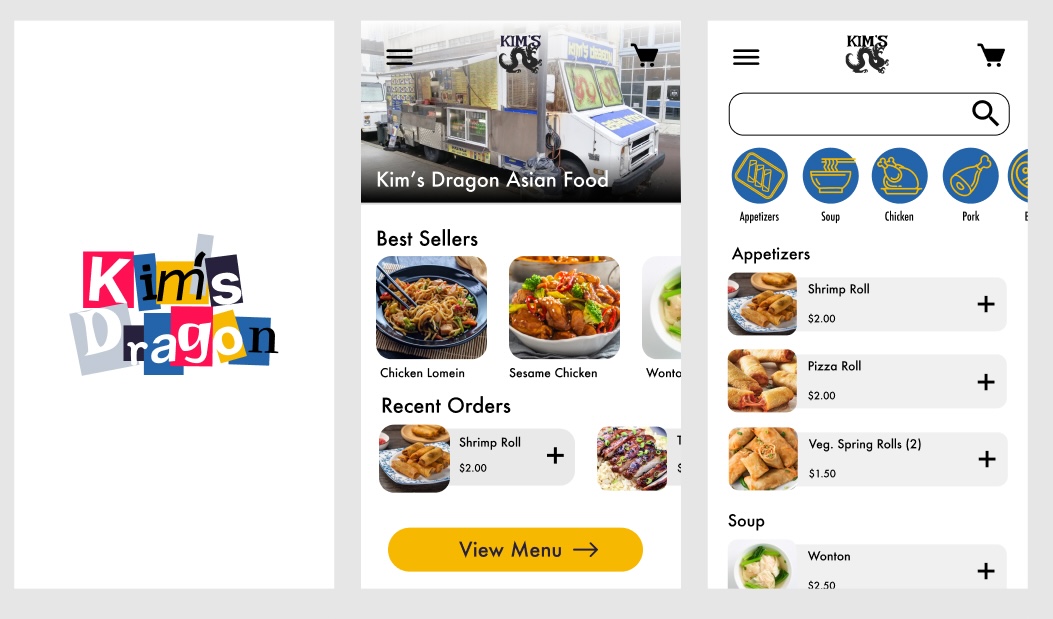 Mid Fidelity Prototype
All we learned,
made real.
Incorporating everything from two rounds of testing, we built our high-fidelity prototype. One key addition: a third color, hot pink, was introduced specifically to signal important functions and guide users through critical moments.
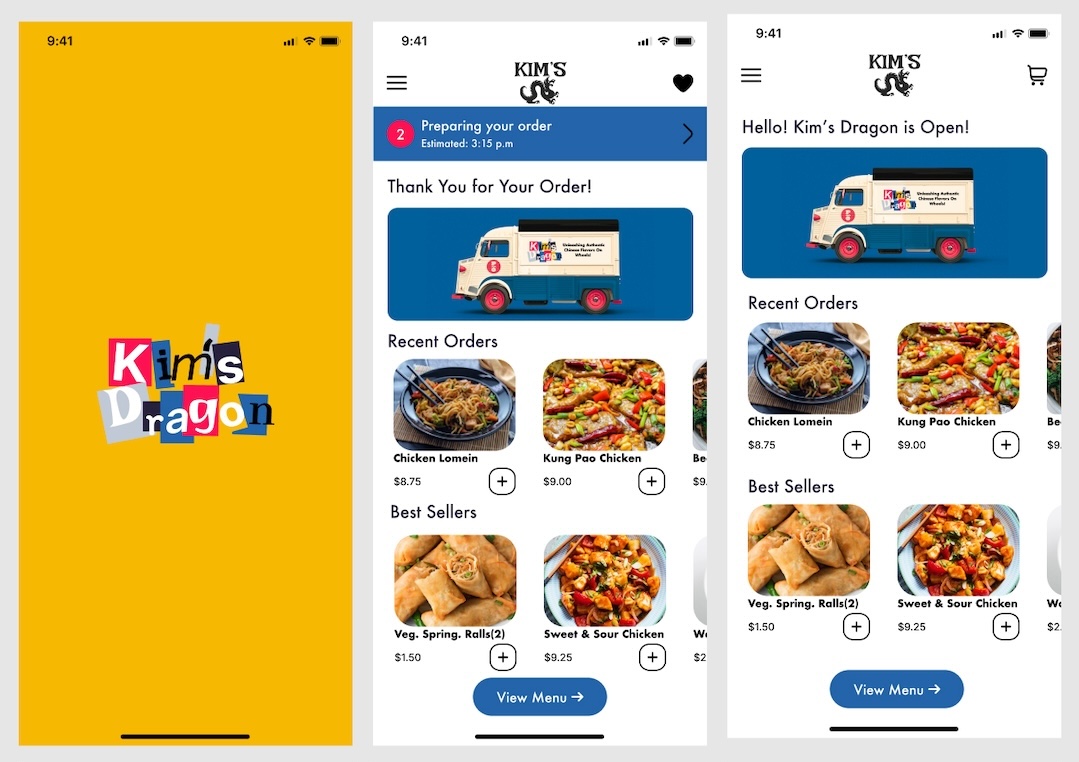 High Fidelity Prototype
What we built.
What we learned.
Throughout the testing process, when asking participants if this app would be easier than ordering in person, confidence grew consistently week over week. Two features stood out as particularly valuable to Kim's Dragon's customer base.
"Balancing familiar patterns with a personality unique to the restaurant was our hardest design challenge — and our most important one."
This project taught me that mental models and personality aren't in conflict, but you have to earn the personality by getting the fundamentals right first. By the end of the term, we had both.